
Theme
Bloom
by Celena
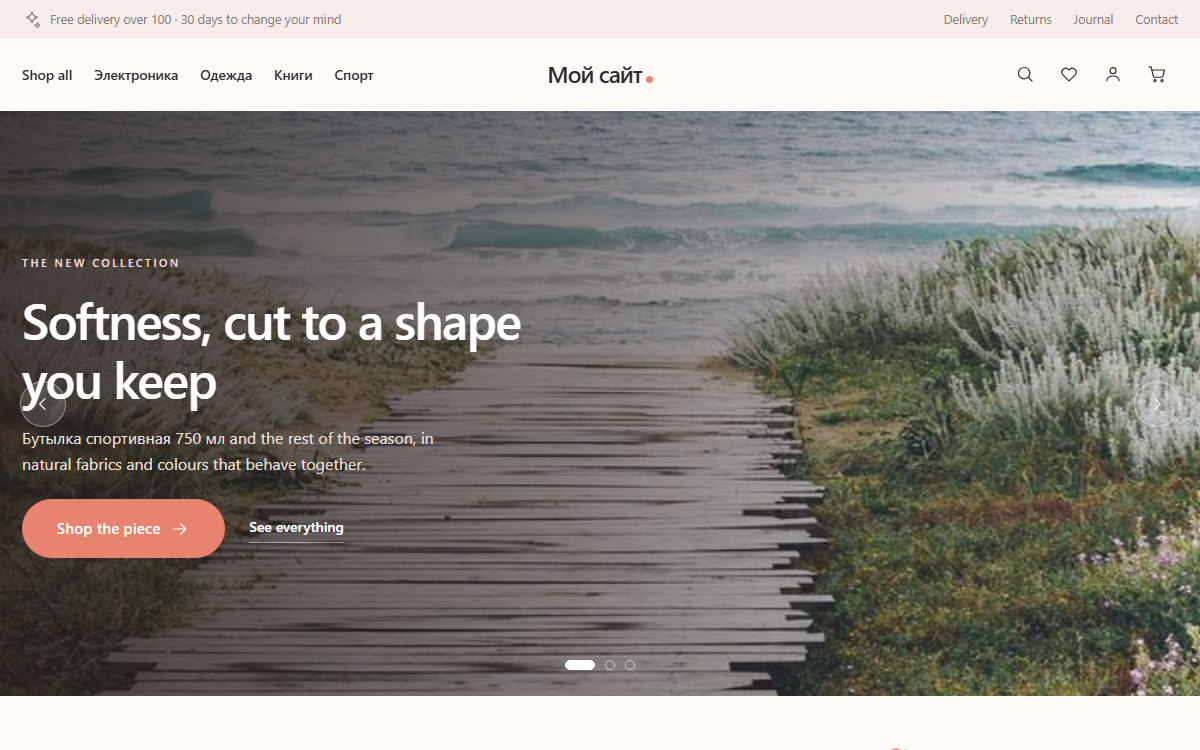
Bloom is a storefront theme for clothing, jewellery, beauty and the kind of shop where the photograph does the selling. Cream and powder grounds, graphite text, one warm coral accent, 22px corners and shadows soft enough to read as paper rather than plastic.
- A home page built around photography. Full-bleed collection hero that cross-fades between slides with a slow Ken Burns drift, autoplay, dots, arrows and touch swipe; a lookbook rail of 3:4 photos that runs past the page edges; a three-up new-arrivals grid; a bestseller card slider; a quote carousel; a six-square social grid and a powder newsletter plate.
- Cards that behave. Round coral discount badges, a heart button with a spring animation that stores favourites locally, a hover frame that swaps to the product's second photo (and zooms the cover when there is only one), and an add-to-bag button that rises from the bottom of the card on hover — always visible on touch.
- Complete shop coverage. Catalogue with a filter sidebar (categories, price range, attribute facets) that becomes a slide-in panel on mobile, sticky sorting, product page with a stacked photo column that turns into a snap slider under 900px, sticky buy panel, variation tiles and an accordion for description, details, delivery and reviews.
- Bag and checkout. Slide-out mini bag, cart page with live quantity steppers, four-block checkout with delivery and payment as radio cards, a promo code line and an order summary that recalculates as you choose.
- Customer account in the same language: sign in, register, overview, profile and password, plus the orders, wishlist and addresses screens the shop plugin adds.
- No external assets. System sans-serif stack, no CDN, no web fonts, monochrome SVG icons in a single inline sprite, every animation in plain CSS and vanilla JS — and all of it disabled under
prefers-reduced-motion. Responsive at 1200 / 900 / 620.
Works without the shop plugin too — the product blocks disappear and the rest of the site keeps rendering.
| Version | Date | Requires | Size |
|---|---|---|---|
| 1.0.1 | 2026-08-19 | PHP · Celena | 929 KB |
Fix: cart quantity controls |
|||
| 1.0.0 | 2026-08-19 | PHP · Celena | 928 KB |
Initial marketplace release |
|||
Requirements
- Tested up to Celena CMS 3.6
Installation
Download the archive and install it from the client admin panel — no license key needed.
- Open Plugins/Themes in your Celena admin panel.
- Click “Install from file” and upload the downloaded archive (or use “Install from marketplace” if connected).
- Activate the package — for paid packages, enter the license key when prompted.