
Theme
Boutique
by Celena
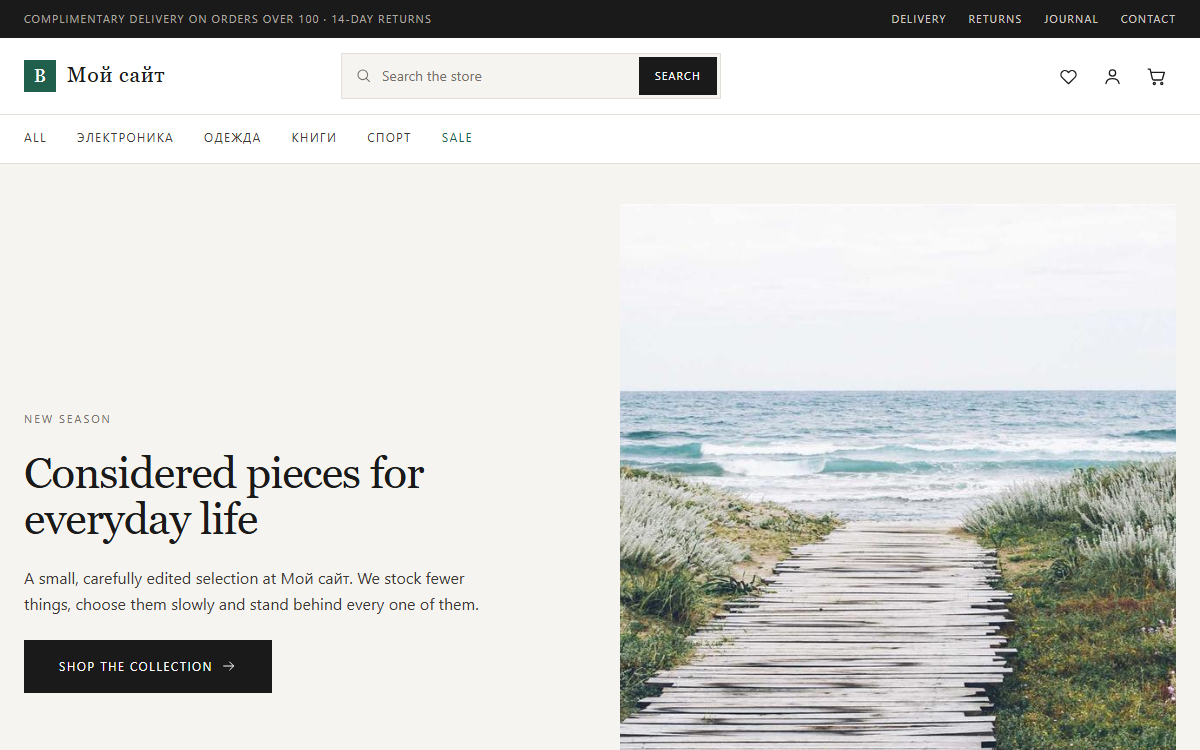
Boutique is a storefront theme for shops that would rather show ten things well than a thousand badly. Warm neutral paper, hairline borders, a serif display face for headings and prices, and exactly one accent colour — a deep green that marks only what matters: the buy button, a discount, an active filter.
- Complete shop coverage. Catalogue with a filter sidebar (categories, price range, attribute facets), sorting and a grid/list switch; product page with a gallery, sticky buy panel, variation selectors and description / details / reviews tabs; cart, two-column checkout with delivery and payment radio cards, and a calm thank-you screen.
- Customer account in the same visual language: sign in, register, overview, profile, password, plus the orders, wishlist and addresses screens the shop plugin adds.
- A wishlist that works out of the box — the heart on every card stores favourites locally and feeds the header counter.
- Home page blocks you can rearrange: hero with a single call to action, category tiles, new arrivals, bestsellers, promo strip, sale row, a service strip and three journal cards.
- No external assets. System font stack, no CDN, no web fonts, monochrome SVG icons in one inline sprite. Nothing leaves the visitor's browser.
- Responsive at 1200 / 900 / 620 with a slide-in menu, collapsible filters and touch-friendly buy buttons.
Works without the shop plugin too — the product sections simply disappear and the rest of the site keeps rendering.
| Version | Date | Requires | Size |
|---|---|---|---|
| 1.0.2 | 2026-08-19 | PHP · Celena | 461 KB |
Fix: cart quantity controls |
|||
| 1.0.1 | 2026-08-18 | PHP · Celena | 460 KB |
Hero product block is now guarded by shop.enabled, so the home page stays clean when the shop plugin is inactive. |
|||
| 1.0.0 | 2026-08-18 | PHP · Celena | 460 KB |
Initial marketplace release |
|||
Requirements
- Tested up to Celena CMS 3.6
Installation
Download the archive and install it from the client admin panel — no license key needed.
- Open Plugins/Themes in your Celena admin panel.
- Click “Install from file” and upload the downloaded archive (or use “Install from marketplace” if connected).
- Activate the package — for paid packages, enter the license key when prompted.